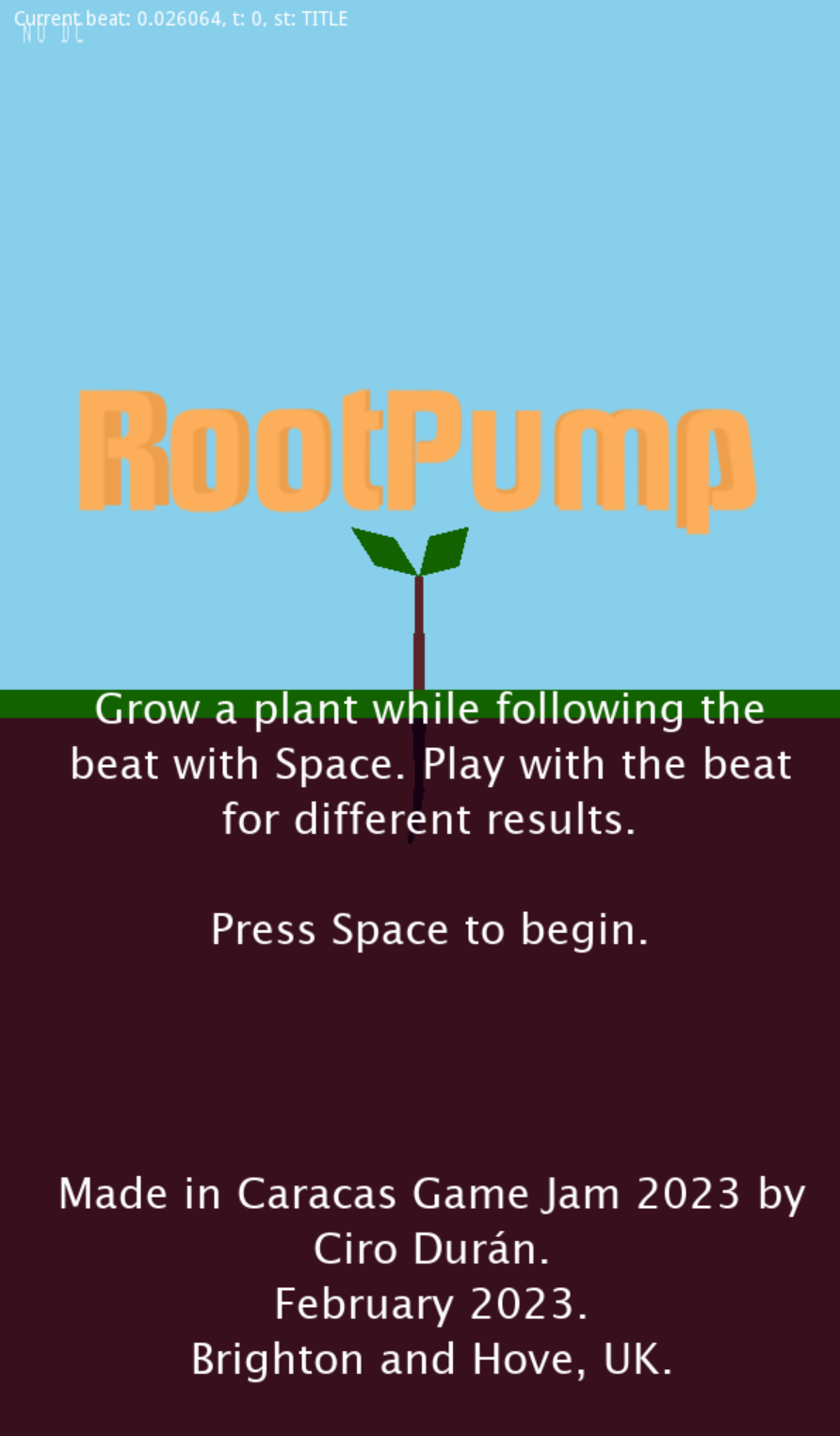
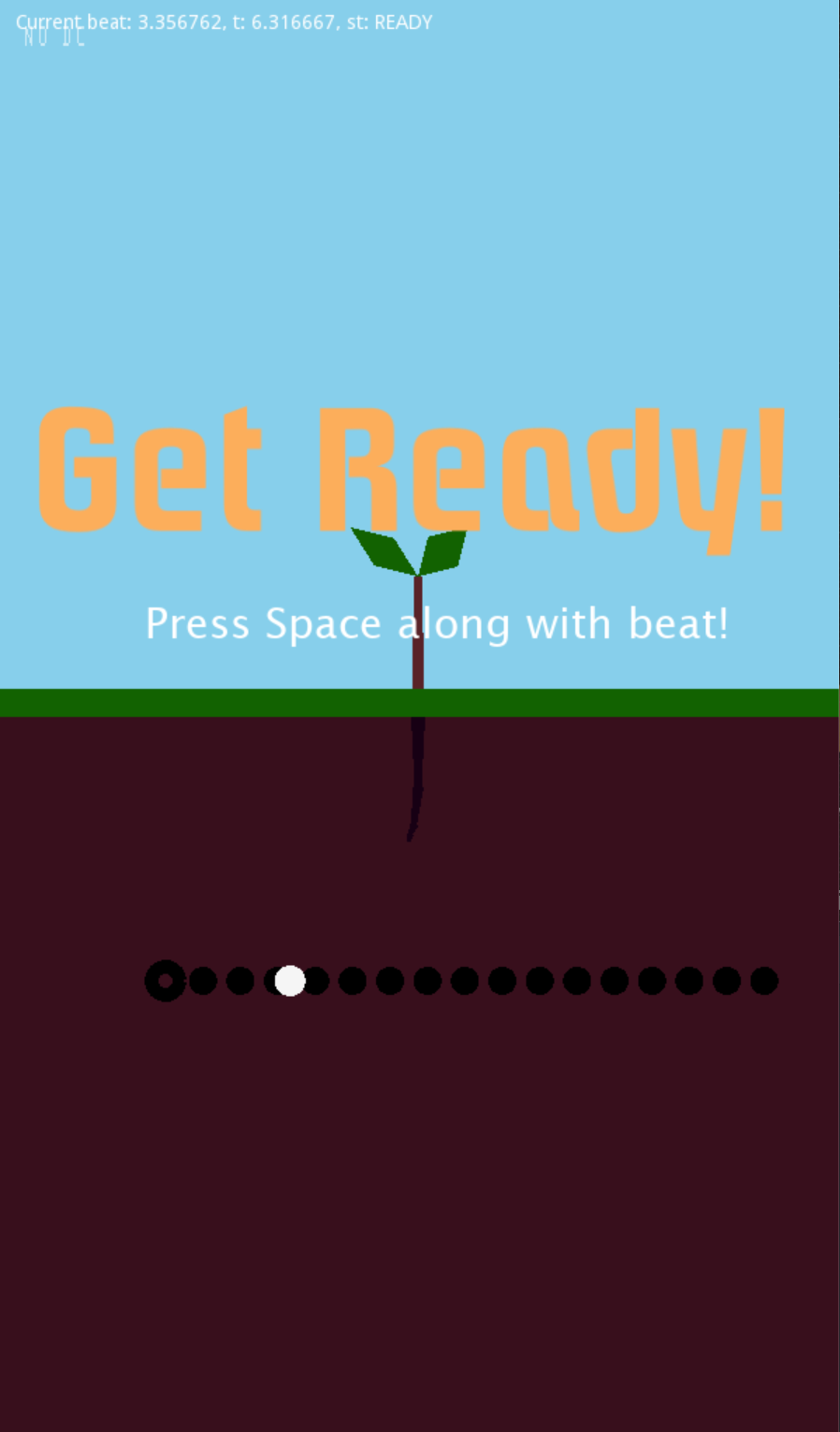
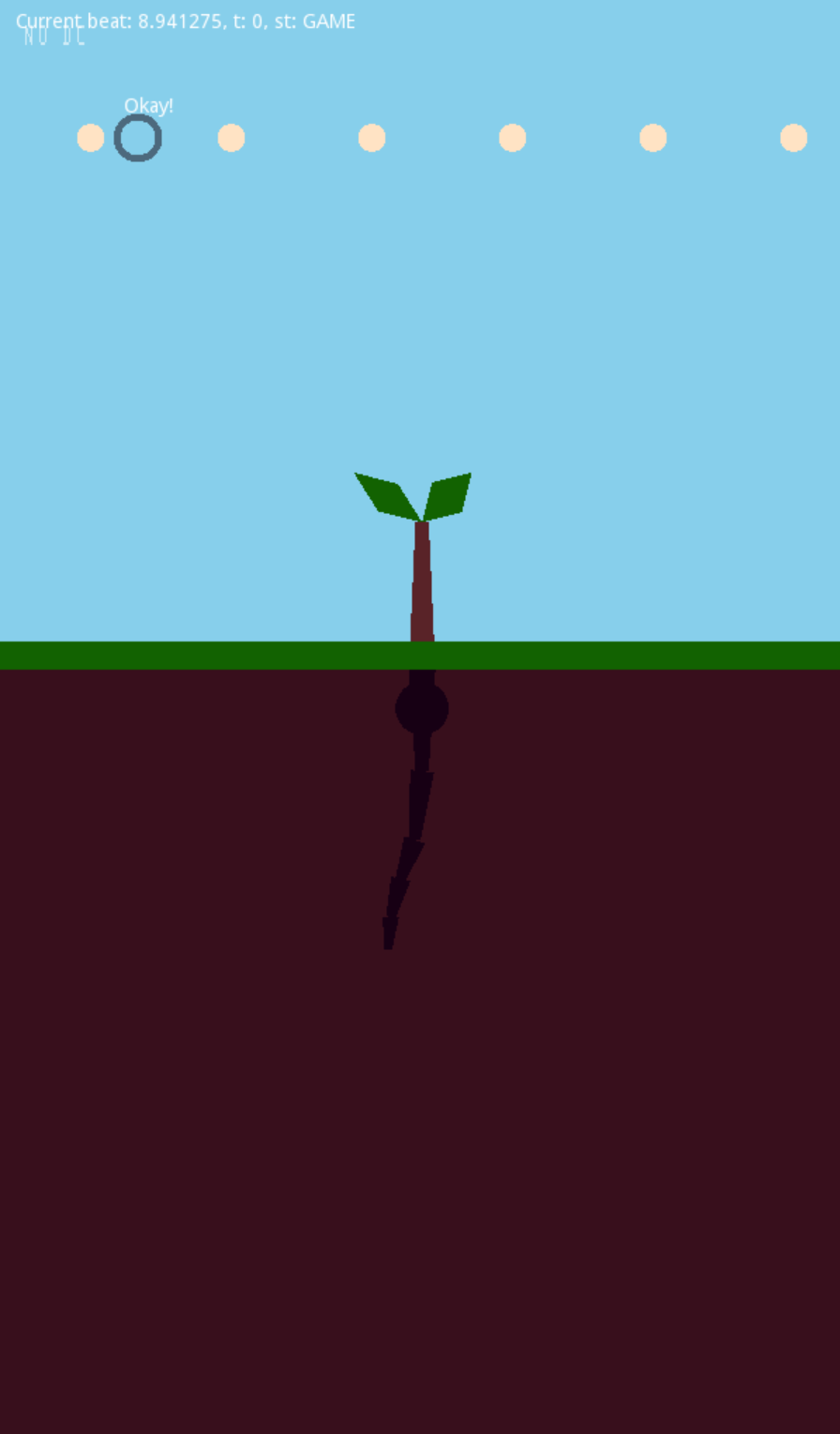
RootPump gameplay video, as delivered in Caracas Game Jam 2023
Another Caracas Game Jam done, another game done, another postmortem. I was about to choose PICO-8 again, but I had a sudden realisation and I went with a tool I’ve wanted to use for quite a while: Godot Engine. Godot has become popular in the Global Game Jam as an alternative to the quite notorious Unity and Unreal Engine. It’s an open source project, so that has attracted a particular gamedev audience. RootPump (Global Game Jam entry) was this year’s result, and the experience allowed me to form some opinions on Godot. Source code in GitHub.
To start using Godot you need to download the release in their downloads page, version 3.5 stable is the most recent as of this post. I knew that Godot scripting was written in GDScript, very similar to Python, but it also offered C#. I am well familiarised with C# so I went with Godot’s option that supports it. I had Visual Studio Code already installed, so I added the extensions godot-tools and C# Tools for Godot to aid in my process. During the event, I cloned Godot’s source code repo and this allowed me to navigate its code from my project and answer many questions.
Godot’s official documentation is pretty useful. It contains a programming reference, and it also has articles that help implementing some of the things you have in mind. However, official docs programming reference only includes GDScript. But the C# interface is well documented in code, so it’s just a matter of generating it to have a reference just as good as GDScript’s, and paulloz has had the courtesy to generate this documentation. This was key to understand the engine and the differences with GDScript. I’d like to see this documentation incorporated in the official docs if they keep maintaining this interface.
I conceived RootPump as a rhythm game, in which the roots of a plant grow according to how the player keeps the rhythm of a song. Ideally the gameplay would involve just one button. I decided that I’d draw the graphics with whatever 2D API that Godot gave me (which I didn’t know at the time), and that I wuold also use the interface to play some audio (I did not know it either).
It was a nice surprise to find a system to compose scene which is quite familiar to me: in Godot a scene is a file that contains a tree of nodes Node2D. This way you can get any node from a path string (e.g. “Thing1/Thing2” gets the node called Thing2 which is nested in Thing1). It’s possible to attach a script to a node, and that’s how you write code for that node. That was my development cycle: use the editor only to add some basic nodes, layout UI elements on screen, etc. and then I spent the majority of time writing code in VSCode, coming back to editor to test the changes.
Godot has a nice math library (Math2f) with quite a few gamedev-specific routines, so I spent very little reimplementing functionality I usually need. If you know what to do, everything is at hand. Godot also offers Signals to communicate between nodes (Signals is a popular implementation of the Observable pattern). This is part of Node2D, so it’s very easy to use. However, when I implemented the game I wrote a few things that weren’t Node2D, so I could not use it properly.
Godot’s input system is okay. There is an abstract map of actions, each action is associated with a number of buttons (or keys, or controller action). Then in code you test that action.
Godot also has a plugin system that augments the editor functionality. I only had the chance to try one plugin, git for source versioning. It’s a nice plugin, offering a graphical interface for git, but nothing that TortoiseGit doesn’t offer already.
Another nice surprise was to find a very good audio interface. It’s possible to have several audio channels (Audio Buses, in Godot’s parlance). You can apply several sound effects separately to each audio bus. Godot also includes a section that describes how to synchronise audio with your game which saved me a lot of time. I made the music with Ableton Live, but I really dropped the ball here, I went with the most basic stuff. Once I finished the music, I exported the 3 stems to MP3 separately, and you can hear it simultaneously played. I look forward to explore more audio in Godot.
I finally learned how to make builds of my game. Until then I had just tested stuff in editor. Godot has export templates, one for each platform you can target (Windows, Mac, Web, etc.) This is a separate download that’s initiated from within the editor. I had considered initially to make RootPump for Windows, but I definitely tried building for Web. Sadly, the game gets stuck 3 seconds into the song, probably because of my audio setup. I think you need to be a lot more careful when writing a game for the Web, and it’s worth exploring without the pressure of a game jam. Thanks to Edmundo I also tested the build on Mac: it works fine, except that the build asks permissions to use the microphone. This is apparently hardwired in the current version of Godot.
I definitely did not have enough time to implement the minimum I was expecting to write by the end of the event. I’ve got a tree that grows, a pulse that moves according to certain rhythm, and a mechanism to check whether the player is following the rhythm. However, both mechanisms are not connected. I would have like that the player had a way to control the pulse’s direction, so maybe I’d have needed an analog stick to control the pulse.
At the end, I felt that the limitations were strictly about time, and I feel that the tool worked with me, and not against me. I would probably pick Godot again for a future project.
In November last year birdsite went through a big change. Since then I wanted to write down some opinions, and even though back then it was pretty obvious what was going to happen, it didn’t hurt less when those changes became true. This post is rather a group of thoughts on what Twitter was, and what are the next steps for me.
Since 2007 Twitter was a public square for me. At the beggining I shared my posts from my Spanish-written gamedev blog El Chigüire Literario with some fellow Venezuelan bloggers. We were just a few back then, so we were a lot more candid. The Venezuelan government intervened heavily our media, which meant a lot of people starting turning towards Twitter for finding out what was really happening around. Twitter went from a mere curiosity to a very important place for daily discourse. We were no longer just a few in the public square: we were a lot now. And with such amount of people we reaching critical mass, and with that virality.
Virality implies that a well placed message can reach very far. But it also implies writing with a mentality that a post could be read potentially by hundreds of thousands of people. And not just read, but also reply back. Twitter never had effective tools to handle such a situation. Even worse, not everyone has the correct mental preparation to handle that. Being viral just does not happen in the physical world. Reading the barrage of good and bad comments can be a hard mental hit.
I still think that I tried to make out of that space the best I could. I met wonderful people, not so wonderful people, I found a job, I connected with people who I consider my friends, even though distance might mean I don’t see their faces each day.
I’ve been online for long, maybe too much. It’s not the first time I’m migrating from a social network. I’ve been in social networks before Twitter (I miss Pare o None). At the beginning, when Twitter went down frequently, I was shortly on Plurk (a name that I still think it’s hideous). I think the most important lesson here is that you should be able to preserve your relationships. This is known by social networks: that’s why there’s a really high barrier when you try to migrate. The most valuable social network is where the people you know and talk to are in. With that in mind, social networks try to keep you in as much as possible. Twitter was maybe the one who said the quiet part loudly when for a while they forbade to link to other platforms, but every single one is a walled garden in its own way.
Maybe this is why I’m so insistent in running a personal website. This is just a bunch of texts hosted on a server. I wish this didn’t need so much technical knowledge to maintain (can I tempt you with a Zonelets template and host it in Neocities?). It doesn’t allow a lot of interactivity either. At most you can write me an email (I have a mailing list with El Chigüire Literario in which I seldom write, just when there are new posts).
And that’s how we reach Mastodon, and the Fediverse in general. Mastodon emulates a lot of Twitter functionalities, but implements a protocol called ActivityPub. ActivityPub allows anyone (big asterisk here) to host a community, and share the posts from that community to other communities. Mastodon is a community that looks like Twitter, but there are other communities that look like Instagram, like the ones that use Pixelfed.
The idea of federation (and the Fediverse) is that you can join any community (or server, or instance, however you want to call it), and from there you can follow other accounts, regardless of the community where these accounts live at. Like email. In your community you have at least 3 timelines: your personal timeline, with the accounts you follow, the local timeline, with an automated selection of accounts in your instance, and the federated timeline, with is an aggregation of accounts from other communities that we all follow locally.
The big asterisk in “anyone can host a community” is that if hosting a bunch of file in a web server is already limiting for some people, running a Mastodon instance is a whole new level. I had considered running my own instance for me and my bots, but there is an economic and time barriers that made me reconsider this. Even with cheap options for using a managed instance, there are many things that I still don’t get about “federation”, and I don’t want to feel that in my main accounts.
As with real life, there are Mastodon servers that are like cities, and others are rather small towns. The one I’m in right now, mastodon.social, is the server maintained by the Mastodon developers. Given that it’s one of the first instances, and given how difficult it has been to separate the concept of Mastodon, the software, from Mastodon, the community, it’s a huge instance that grew up a lot when Twitter changed hands.
So there are people that prefer smaller, more specific servers. Like a server for infosec people. Another one for game developers. Another one for queer people working in tech. Federation in theory allows us to follow each other and read each other no matter which server we picked. I say in theory because in the way you can block other accounts, server can block other servers, and that’s when things get a bit more complicated.
One of the nice things about Twitter was that the sheer amount of people it attracted meant that a lot of communities were there too: academics, professionals, artists, etc. Losing Twitter means that that big Babel Tower we had of interconnected communities will be lost. Not everyone wants to migrate to Mastodon. Exporting your contact list on Twitter became more difficult as API gets locked down and applications can’t do this anymore.
Anyway, I think it’s worth paying attention to Mastodon in the years to come. As someone who has always believed in the open network, these spaces have to be occupied for them to be defended. Otherwise they’re lost. In joinmastodon.org there is a big selection of communities you can join. I hope I can see you there soon.
I had planned to release an album this year, but that did not happen. Life happens. Still, 35 song sketches came out this year! Tuesday Tunesdays are still going, although you can tell that people returning to their (as it were) normal lives has an impact on time and activities.
I started using Chordpro fairly recently after using Microsoft Word and Chordette for my chord sheets, and I’ve been quite happy with the results. However, Chordpro’s documentation is nice, but it lacks an onboarding/tutorial document. I had to do a fair amount of searching and experimenting to get to the point where I’m happy, and I feel it should have been simpler. I wrote some notes on how I got to that point, with the hopes that someone else can find them useful. It currently assumes that you know how to use Linux (or at least familiar with command line tools).
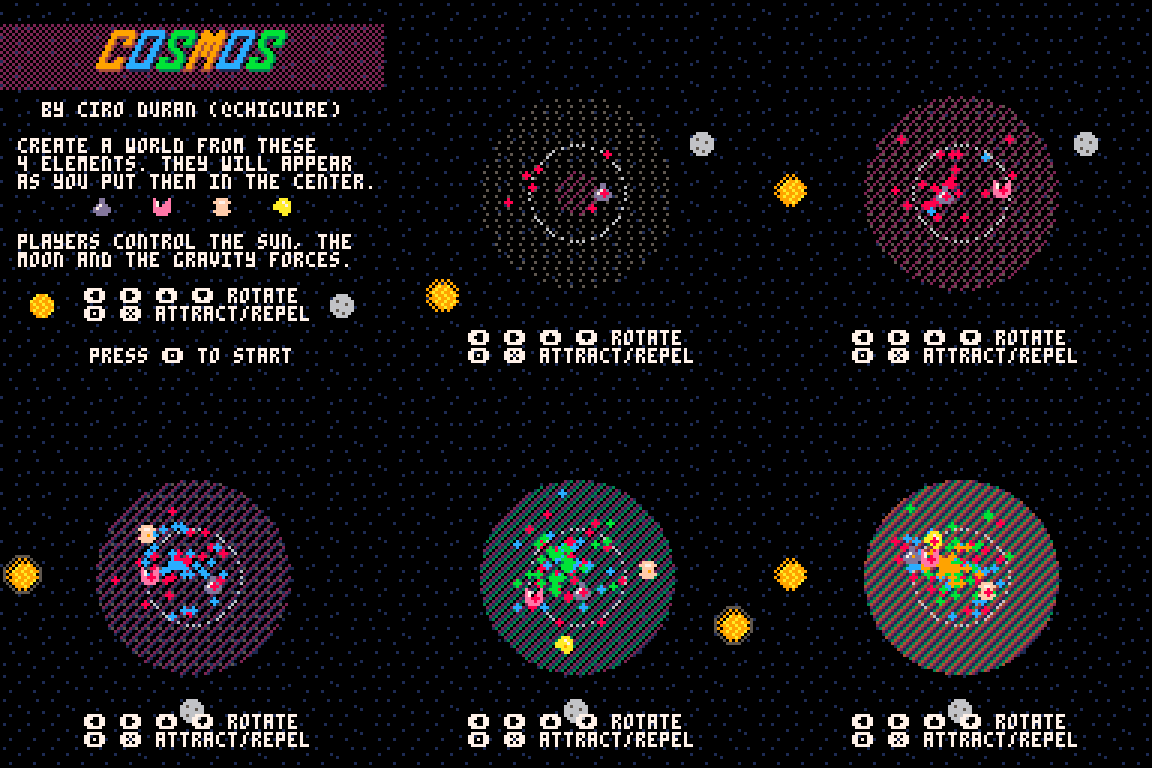
I participated in the recent Caracas Game Jam 2022 (online) making a videogame. In this occasion I decided to use PICO-8, a fantasy console (I’ve written about this in El Chigüire Literario, my gamedev blog written in Spanish). At the end of the event I presented Cosmos, a game for two players. The objective is to build a planet keeping several elements in the center of the screen, using attraction/repulsion forces from the sun and the moon. You can play it in the browser or downloading it from that website.
I write code with Lua and used PICO-8 internal tools for making art, music and sound. In PICO-8, all this goes into the same file. I used Visual Studio Code for writing code, along with an extension for syntax highlighting. This way, VSCode uses half of the screen, and PICO-8 uses the other half. Once I’ve made changes in VSCode, I switch to PICO-8, press CTRL-R and the program reads the file again and picks up the changes.
An issue I had constantly and that I blame on the lack of habit: when you make changes in PICO-8 (e.g. sound, music, sprites, maps), you have to save the file before making changes in code in VSCode. If you forget, and you also make changes in Code before saving, when you press CTRL-R PICO-8 detects that there are changes in the file that weren’t made in the program, and refuses to load the file. This is not a problem, it’s actually very good. Resolving this is not critical: when you save in PICO-8, VSCode picks up the changes immediately, so you can Undo that change, copy the things you had made, Redo and apply the changes where appropriate. It’s usually better to be aware and avoid making changes in both programs at the same time.
I think PICO-8’s plain text format makes it ideal for collaboration, e.g. a person can do sprites/maps, another one does music/sound, and then all can be merged in a git repo. I did not test this workflow as I worked alone, but a setup like this seems quite feasible.
Sprites have 16 colours, and 8x8 at its smallest. The default colour palette in PICO-8 is really pleasing, and you can change it if you want to. Lua as a programming language: I’ve used it before and I am aware of its weirdness (e.g. arrays that start from 1 and not 0, declaring arrays and tables, etc.). PICO-8 Lua has some slight differences from the standard implementation (e.g. trigonometric functions go from 0..1, and not radians nor degrees), but the official documentation is really good, and there’s a cheat sheet that is quite useful as well.
Sounds was my weakest moment in the process, as it was my first time using it. That said, it was really simple to make music and understand how the system works. If I had more time I would have written the code to make the music change on tempo. The platform gives you enough to write that, but the function to call music is very simple, so you have to write all the code for that case.
I would like to keep using PICO-8 for other things. You can call Serial port and GPIO, so it can work with an Arduino or a Raspberry Pi really nicely. I’d love to explore that part a bit more.
 English
 Español